%20{%20.logo-h%20{%20fill:%20transparent;%20/*%20No%20fill,%20just%20the%20outline%20*/%20stroke:%20%23222222;%20/*%20Dark%20stroke%20for%20visibility%20*/%20stroke-width:%2010px;%20/*%20Slightly%20thicker%20stroke%20for%20better%20visibility%20*/%20}%20}%20/*%20For%20dark%20mode%20only%20*/%20@media%20(prefers-color-scheme:%20dark)%20{%20.logo-h%20{%20fill:%20%23ffffff;%20stroke:%20rgba(255,%20255,%20255,%200);%20/*%20Transparent%20stroke%20for%20dark%20mode%20*/%20}%20}%20%3c/style%3e%3cpath%20class='logo-h'%20d='M128,96%20v320%20h64%20v-128%20h128%20v128%20h64%20v-320%20h-64%20v128%20h-128%20v-128%20z'/%3e%3c!--%20Red%20to%20cyan%20gradient%20line%20with%20upward%20Texas%20Longhorn-style%20curve%20--%3e%3clinearGradient%20id='gradient'%20x1='0%25'%20y1='0%25'%20x2='100%25'%20y2='0%25'%3e%3cstop%20offset='0%25'%20style='stop-color:%23ef4444;stop-opacity:1'%20/%3e%3cstop%20offset='100%25'%20style='stop-color:%2306b6d4;stop-opacity:1'%20/%3e%3c/linearGradient%3e%3c!--%20Texas%20Longhorn%20style%20curved%20path%20pointing%20upward%20--%3e%3cpath%20d='M96,448%20C120,470%20170,455%20256,440%20C342,455%20392,470%20416,448%20L416,432%20C392,450%20342,435%20256,420%20C170,435%20120,450%2096,432%20Z'%20fill='url(%23gradient)'/%3e%3c/svg%3e)
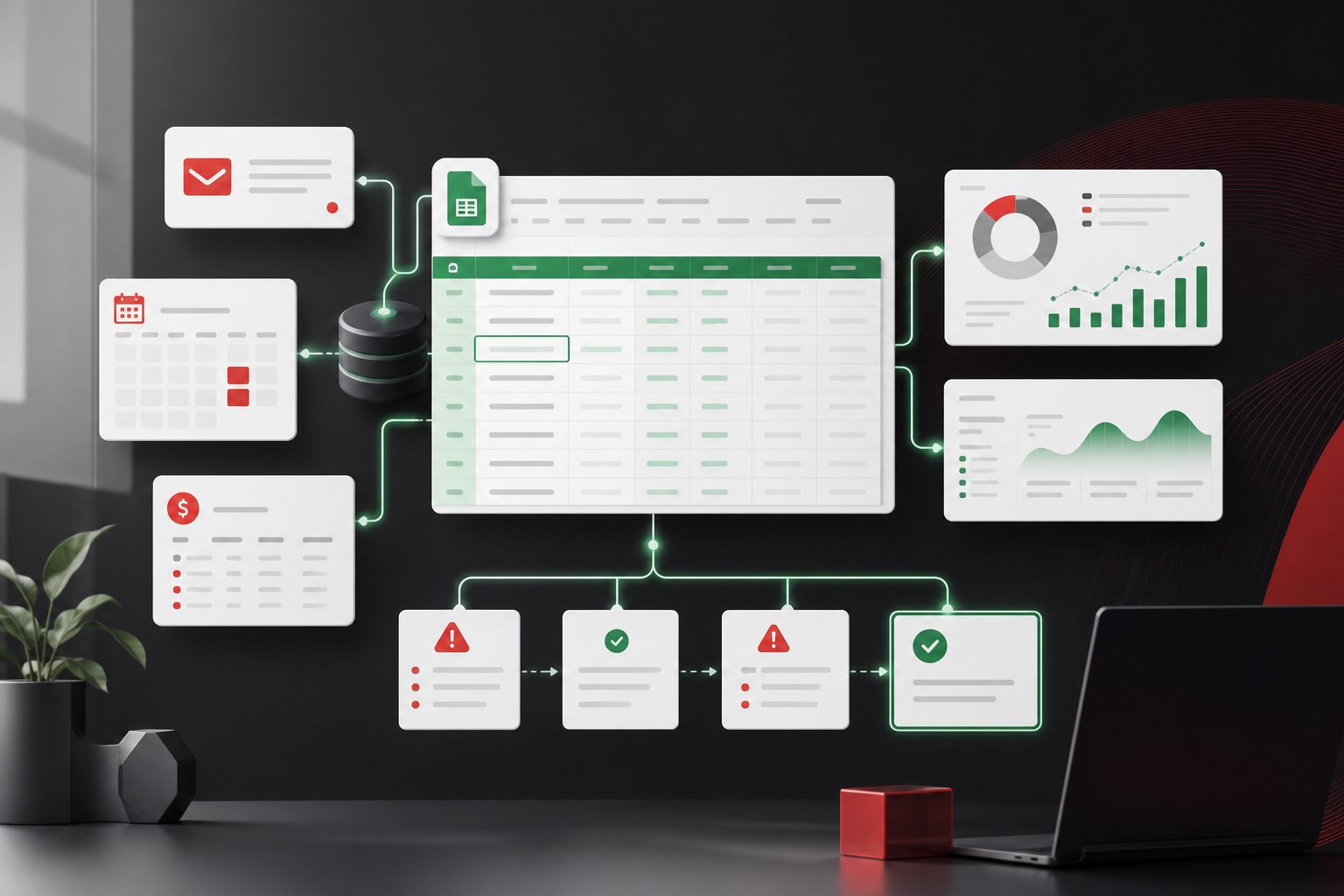
Google Sheets is already where a lot of your business data lives. Google Sheets automation is how you stop copying that data by hand—syncing systems, validating rows, sending alerts, and triggering downstream actions when a cell changes. Done well, it is the fastest ROI in ops tech. Done blindly, it is another fragile script nobody wants to touch.
What Google Sheets automation actually means
Automation around Sheets usually means Google Apps Script, scheduled jobs, or integration platforms reading and writing rows on a trigger or a clock. A new form submission becomes a row. A row marked “approved” creates a QuickBooks draft. A stale row sends a Slack message. A nightly job pulls warehouse inventory into a dashboard tab.
It is not magic—it is plumbing. The sheet often stays the interface your team knows. The automation handles the boring, error-prone transfers between the sheet and everything else.
High-ROI automations we build often
- Intake to sheet—web forms, Typeform, or CRM events land in structured rows with validation
- Sheet to billing—approved jobs become invoices or payment links without Friday export rituals
- Exception alerts—rows missing required fields or sitting in a status too long ping the right owner
- Duplicate detection—flag repeat customers, SKUs, or PO numbers before they propagate
- Reporting tabs—refresh KPIs from live APIs instead of manual CSV merges every Monday
Real numbers: what first milestones cost
A single-path automation—form to sheet to Slack alert—often lands between $1,500 and $4,000. Two-system sync with error logging and retries (Sheet ↔ QuickBooks, Sheet ↔ HubSpot) typically runs $4,000 to $12,000 depending on data cleanup. That is materially less than a custom app when the sheet is still the right UI.
When Google Sheets automation is the right first move
Choose automation when your data model is stable, your team likes the grid, and the pain is handoffs—not permissions, audit history, or concurrent editing wars. If five people can still work in the sheet without breaking each other’s work weekly, automation is likely enough for phase one.
- Stable columns and statuses—you are not reinventing the schema every month
- Clear triggers—“when status = ready, do X” is automatable; “when Maria feels it is ready” is not
- Acceptable sharing model—link permissions or workspace rules work for your risk level
- Volume fits—thousands of rows, not millions; Sheets has limits
Our Google Sheets automation projects start by mapping one trigger, one destination, and what failure looks like—because silent failure is how automation earns a bad reputation.
What automation cannot fix
Scripts do not give you fine-grained role-based UI. They do not replace a mobile app for field teams. They do not stop someone from sorting column A and breaking a formula tied to row order. They do not create audit trails beyond what you explicitly log. When the sheet itself is the bottleneck, automation just moves data faster through a broken interface.
Signs you have hit the ceiling
- Script fragility—every new column requires a developer and a prayer
- Runtime limits—Apps Script timeouts on large batches
- Permission sprawl—too many people see sensitive columns
- Customer-facing needs—clients should not edit your ops sheet via a shared link
- Compliance—you need immutable history, not revision history on a doc
Google Sheets automation vs Zapier vs custom script
Zapier and Make are great for simple, low-volume flows when mappings are obvious. They get expensive at scale and painful when logic is branching—“if discount > 10% and region = West and SKU not in exclusion list.” Custom Apps Script or a small hosted service wins when you need retries, logging, and someone to answer why row 892 duplicated at 2am.
Many businesses use a hybrid: Zapier for the easy path, custom script for the fragile money-moving path. The mistake is stacking ten zaps without documentation so only one person knows the order they run.
How automation fits a broader workflow strategy
Sheets automation is often milestone one in a longer ops improvement plan. You automate exports and alerts, measure hours saved and error reduction, then decide whether milestone two is more automation or graduating to internal software. That sequencing keeps spend aligned with proof—not hope.
A broader workflow automation for small business plan looks at the whole chain: intake, approvals, fulfillment, billing, and reporting. Sheets might stay in one or two steps while other steps move to software—but nobody should be the human API between them.
Operational practices that keep automation healthy
- Document triggers and owners—what runs, when, and who gets paged on failure
- Log to a tab or external service—“it broke” should mean a searchable error row
- Version control for scripts—not only “the script attached to this sheet”
- Test with bad data—empty fields, duplicates, API timeouts before go-live
- Review quarterly—unused columns and zombie zaps accumulate like barnacles
A week-one checklist for business owners
List every place a human copies data from or to a sheet. Circle the ones that happen daily. Pick the daily task where an error costs the most—wrong invoice, wrong ship date, wrong commission. That is your first automation candidate. Estimate hours: if it is thirty minutes a day, 125 hours a year. Automation that costs $6,000 and cuts that by 80% pays back in about six months at $40 per hour loaded cost.
Bring that one workflow to a technical partner with the actual sheet—not a slide deck. Real columns, real junk data, real edge cases. Quotes get honest when the mess is visible.
Security and access: the conversation nobody schedules
Shared sheets with “anyone with the link can edit” are fast to set up and painful to unwind. Automation can reduce how many humans touch raw data—but it cannot fix a sharing model that exposes payroll columns to the whole company. Before automating, ask who should see each field. Sometimes the right answer is a script with a service account; sometimes it is software with real roles.
If vendors or clients need visibility, a portal with scoped access beats a filtered view on a master sheet. One leaked edit link can undo months of careful column hiding.
The bottom line
Google Sheets automation for business is not a compromise—it is often the smartest first investment when your team and your data already live in the grid. It fails when it is treated as a forever solution for workflows that need permissions, audit history, and reliable multi-user operations. Automate the handoffs first. Replace the sheet when the sheet is the problem.
When to loop in a developer vs. DIY
DIY scripts work for personal productivity. Business-critical money paths need someone who will document triggers, handle API auth rotation, and answer the phone when QuickBooks changes a field. Rule of thumb: if a failed run costs more than $500 or affects more than ten customers, professional implementation is cheaper than cleanup.
Measuring success after go-live
Track three numbers for ninety days: hours spent on manual exports, count of data errors caught in QA vs. production, and time-to-complete for the automated workflow. If hours drop but errors spike, your validation layer needs work—not more automation. Good automation makes ops quieter; bad automation makes Slack louder.
Share those metrics with finance when you plan milestone two. Numbers turn “we should maybe build an app” into a budget conversation with evidence—especially when the first automation milestone already paid for part of the next phase.